
Clean, consistent product images can make a Shopify store feel more trustworthy and easier to shop. But when images come from different suppliers, photographers, or marketplaces, their backgrounds often look inconsistent. Some are white, some are transparent, and others contain distracting rooms, shadows, or props.
Fixing those images manually can take hours—especially when a store has hundreds or thousands of products.
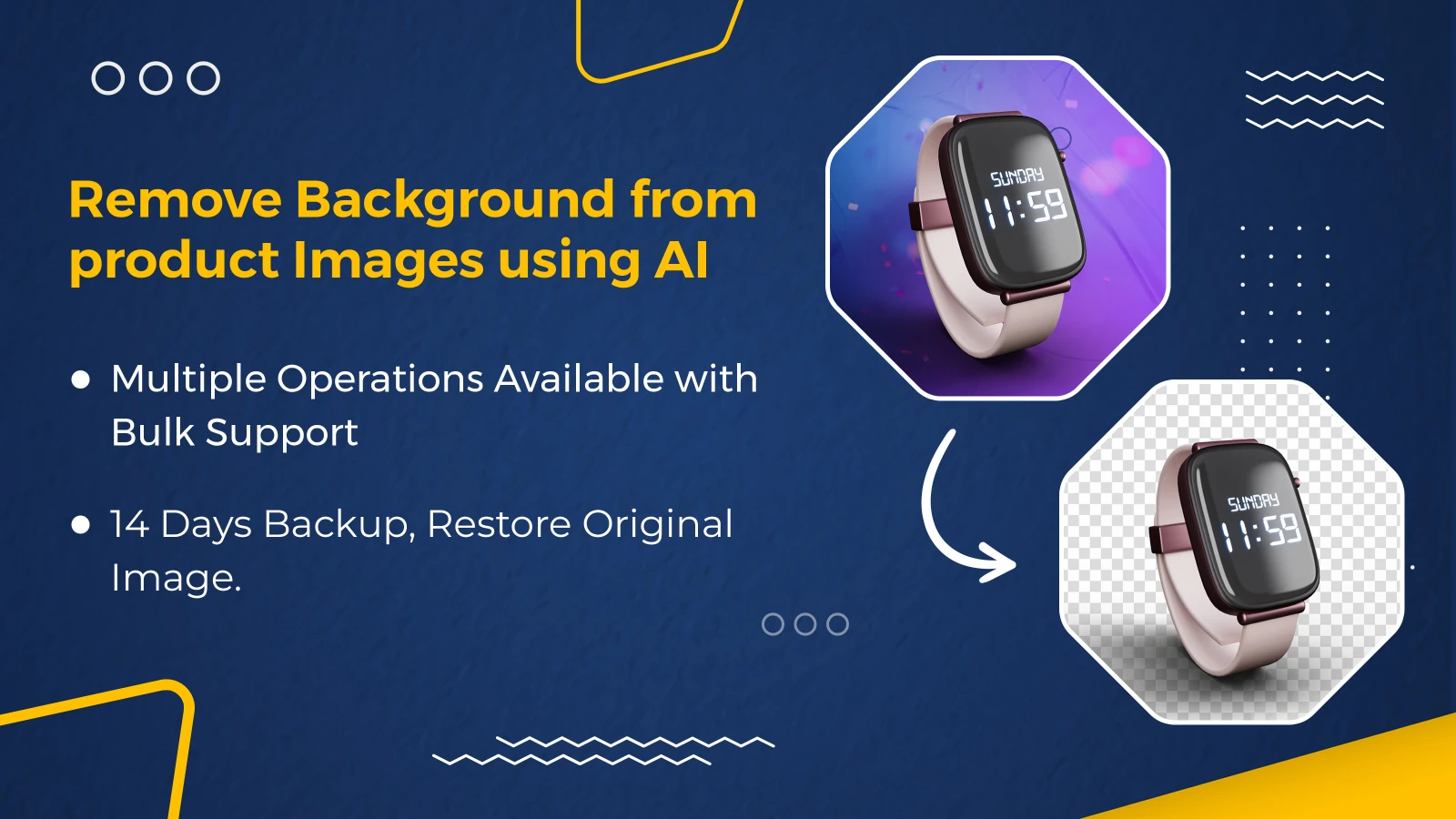
AIBrush: Background Remover helps Shopify merchants remove backgrounds, align products, and clean product images in bulk. Instead of editing each photo one at a time, merchants can process entire collections and keep their catalogs visually consistent.
Why Product Image Backgrounds Matter
A product image is often the first thing a customer notices. Even when the product itself is excellent, a distracting or inconsistent background can make the catalog feel unfinished.
Consistent backgrounds help Shopify stores:
- Keep collection pages clean and easier to scan
- Focus attention on the product
- Maintain a recognizable visual style
- Prepare images for advertisements and marketplaces
- Reduce the mismatch between supplier photos
- Create a more professional shopping experience
The challenge is scale. Removing one background is easy. Cleaning hundreds of images while preserving product edges, proportions, and original files is where manual editing becomes expensive and repetitive.
What Is AIBrush: Background Remover?
AIBrush is an AI-powered Shopify image editor designed for bulk product-image cleanup. It identifies the main product, removes the existing background, and prepares a cleaner output for the storefront.
With AIBrush, merchants can:
- Remove product-image backgrounds in bulk
- Select products or entire collections
- Automatically center and align products
- Create transparent, white, or custom backgrounds
- Review before-and-after results
- Restore original images from a 14-day backup
- Automatically process new product images when automation is enabled
This makes AIBrush useful for both one-time catalog cleanup and ongoing product-image maintenance.
How AI Background Removal Helps Shopify Merchants
1. Clean Large Catalogs Faster
A store with 500 products should not require 500 separate image-editing sessions. AIBrush allows merchants to select products in bulk and run background-removal processes together.
This is especially helpful during:
- Store migrations
- Large supplier imports
- Seasonal catalog updates
- Marketplace expansion
- Rebranding projects
- Product-feed cleanup
2. Make Supplier Images Look Consistent
Dropshipping and multi-brand stores often receive images in different sizes and styles. One product may be photographed on a table, another against a wall, and another on a transparent background.
Removing those original backgrounds creates a consistent starting point. Merchants can then apply a white, transparent, or custom background that better matches the store's visual identity.
3. Keep the Product Properly Positioned
Background removal alone is not always enough. If the product is too small, off-center, or positioned differently across images, a collection page can still look uneven.
AIBrush can center and align products after removing their backgrounds, helping product grids look more balanced.
4. Prepare Images for Multiple Channels
A single product image may be used across:
- Shopify collection and product pages
- Google Shopping
- Meta advertisements
- Email campaigns
- Social media
- Online marketplaces
A clean product cutout is more flexible because it can be placed on different backgrounds and adapted to the visual requirements of each channel.
5. Automate New Product-Image Cleanup
Catalog consistency is not only a one-time problem. Every newly added product can introduce another mismatched image.
When automation is enabled, AIBrush can automatically remove backgrounds from new product images. This helps merchants maintain a consistent catalog without remembering to start a new manual process after every upload.
How to Use AIBrush
The exact choices depend on the desired output, but the typical workflow is simple:
- Open AIBrush in Shopify. Install the app and open its image-processing dashboard.
- Select products or a collection. Choose the images that need background cleanup.
- Choose the required operation. Remove the background and select the preferred output style.
- Start the bulk process. AIBrush processes the selected images without requiring individual manual edits.
- Review the results. Compare the original and updated product images.
- Restore when necessary. If a result is not suitable, use the 14-day backup to restore the original image.
- Enable automation if needed. Automatically process images added to new products.
For a large catalog, it is sensible to begin with a smaller product group. Confirm that the background, alignment, and spacing match the store's design before processing the remaining collections.
Manual Editing vs. AIBrush
| Task | Manual image editing | AIBrush |
|---|---|---|
| Remove backgrounds | One image at a time | Bulk product processing |
| Keep products aligned | Adjust every image manually | Automatic centering and alignment |
| Apply consistent backgrounds | Recreate settings repeatedly | White, transparent, or custom output |
| Handle new product images | Remember to edit each upload | Optional automatic processing |
| Recover original images | Depends on separate backups | 14-day restoration window |
| Manage large collections | Time-consuming | Select and process collections |
AIBrush does not remove the need for visual judgment. Merchants should still review important product photos, particularly images with fine details, transparent objects, complex shadows, or colors similar to the original background. The benefit is that AI handles the repetitive first pass at scale.
Best Practices for Better Results
Start With Clear Source Images
AI works best when the product is visible and reasonably separated from the background. Extremely blurry, dark, or heavily obstructed products may need additional attention.
Keep One Background Style Across the Store
Choose a consistent strategy—transparent, white, or a specific custom background—and apply it across similar product categories.
Review Fine Edges
Check hair, jewelry, glass, lace, fur, thin straps, and other detailed edges. These are naturally more challenging than solid products with clear outlines.
Test Before Processing the Entire Catalog
Run a small batch first. Review the output on desktop and mobile collection pages before applying the same settings to a larger catalog.
Use Restoration as a Safety Net
Background removal changes the product image shown in the store. The 14-day backup gives merchants time to review results and restore originals when required.
Who Can Benefit From AIBrush?
AIBrush is particularly useful for:
- Fashion and accessories stores
- Beauty and skincare brands
- Jewelry catalogs
- Furniture and home-decor merchants
- Dropshipping stores
- Multi-vendor catalogs
- Stores preparing images for ads or marketplaces
- Merchants importing products from multiple suppliers
Any Shopify merchant who repeatedly cleans, aligns, or standardizes product photos can reduce manual work with a bulk workflow.
Frequently Asked Questions
Can AIBrush remove backgrounds from multiple images?
Yes. Merchants can select products or collections and process product-image backgrounds in bulk.
Can I use a transparent or white background?
Yes. AIBrush supports clean transparent, white, and custom background options, depending on the desired storefront style.
What happens to the original product image?
AIBrush provides a 14-day backup period during which the original image can be restored.
Can AIBrush process new product images automatically?
Yes. When automation is enabled, the app can automatically remove backgrounds from images added to new products.
Should I review AI-generated results?
Yes. AI can save substantial editing time, but important product images should still be reviewed—especially when they contain fine edges, transparency, or complex details.
Create a Cleaner Shopify Catalog
Product-image cleanup should not become a recurring bottleneck. With bulk background removal, automatic alignment, restoration, and optional automation for new products, AIBrush helps merchants maintain a cleaner and more consistent storefront with less repetitive work.
Try AIBrush: Background Remover on the Shopify App Store and test it on a small group of product images before processing your full catalog.